
The driver app your drivers actually use
Pay, schedule, forms, and the clock — self-service that cuts office calls and keeps drivers happy.
Every driver question is an office interruption
“Where’s my pay stub?” “What am I running tomorrow?” “How do I submit this form?” Every one of those is a phone call the office has to stop and take — and a driver who feels out of the loop. Multiply it across a fleet and it’s hours a week the office loses and a daily reminder to drivers that the operation is hard to work with.
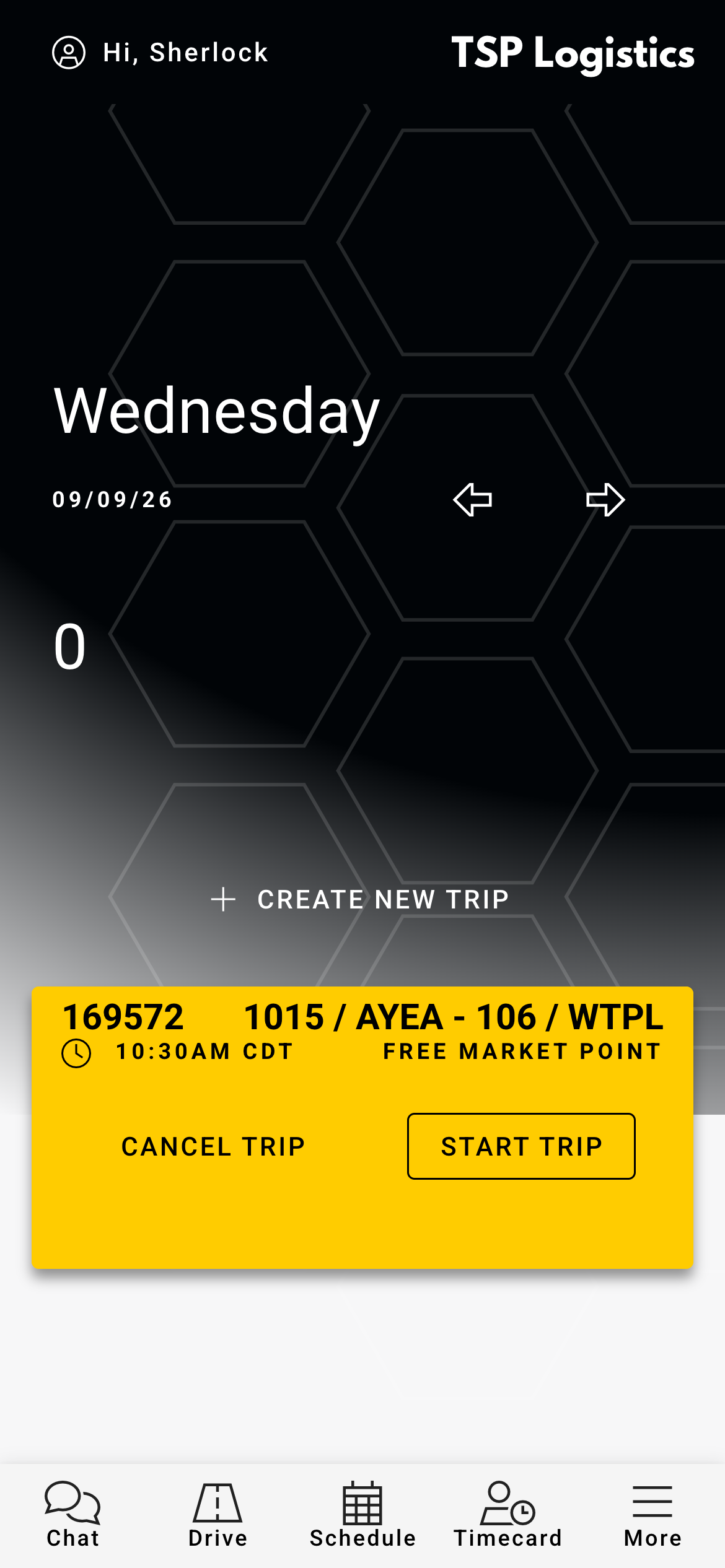
One app, the whole day
- Pay — open the itemized pay doc and see pay history by week.
- Schedule — assigned trips by day, week, or month; grab open runs.
- Time clock — clock in/out, breaks, and correction requests.
- Forms & documents — inspections, company forms, and uploads.
- Training — assigned safety courses, tracked to completion.
Self-service that cuts the calls
A better experience keeps drivers longer
Driver turnover is one of the biggest hidden costs in trucking. Giving drivers instant access to their pay, a clear schedule, and simple ways to handle paperwork makes the job feel organized and fair — a small, daily reason for your best people to stay instead of taking the next call from a recruiter.
Has saved me tons of time and money.
It’s the same system your office runs on. What a driver submits or clocks flows straight into scheduling, payroll, and compliance — no re-entry.
Frequently asked questions
No — they sign in with the login you issue and can add the app to their home screen. If they forget their password, they can reset it themselves from the login screen, or your office can reset it for them.
Yes. Clock-ins build timecards that flow into staff/driver payroll, so hours are captured once.
Yes — drivers open any pay document and see pay history by week, so they stop calling the office for copies.
No — pay, schedule, time clock, forms, and training are all in the one FAST driver app.